
An iptv service subscription should fit the way your household watches television: the programmes you want, the streams that overlap and the device you use each evening. Our Xtreme HD IPTV plans let you choose a connection allowance and subscription period, with setup resources to prepare a compatible player.
Start with those practical choices, then review the complete order. This guide walks you through seven steps, from defining your viewing needs to checking your activated account. You will also find the paid-trial, renewal and refund information that helps you decide how much time to purchase.
Table of Contents
Table of Contents
What does an iptv service subscription include?
Our service offers live television categories alongside films and series on demand. Published categories include entertainment, news, sports and international viewing. Programme-guide information helps you browse schedules where the source and application support it.
You can select one to five simultaneous connections and fixed periods of one, three, six or twelve months. Connections determine how many streams can run together. Duration determines the service period purchased, so increasing one does not automatically increase the other.

HD, Full HD and selected 4K sources are available where supported. Actual picture quality depends on the original source, player, device and home connection. Channel availability, titles, regional access, guide data and resolutions can change.
Your subscription and viewing application have separate roles. The service supplies the purchased account access; a compatible player provides its interface and supported playback features. Equipment, internet access and any separately required player licence complete the arrangement.
Our setup and help resources support that preparation. Choose the plan around relevant viewing, enough active streams and a device you can configure comfortably. Those details give you a more useful basis for buying than a headline catalogue total alone.
7 steps from choosing a plan to first playback
1. Define what your iptv service subscription needs to cover
Write down the viewing you would miss if it were unavailable. You might prioritise evening news, international entertainment, live sport or a selection of films and series. Keep essential requirements distinct from categories you would only browse occasionally.
For live viewing, identify the relevant feeds and whether guide information is useful to you. For on-demand viewing, consider search, audio and subtitle options where supplied. A category label is a starting point for assessment rather than a promise that every title or feature is present.
For a particular live programme, note the feed and viewing time as well as its name. A household following regional evening news needs to check the relevant feed and schedule, while someone watching sport may care about an event and its commentary. Use those specific requirements during assessment rather than assuming a broad sports or international category establishes them.
For films and series, open a representative item beyond its catalogue artwork. Check the available audio and subtitle choices, and make sure the viewer can find those controls with the intended remote. If a particular language or accessibility control matters to the purchase, include it in the assessment of the actual programme, player and device rather than relying on another app’s feature list.
Include the person using the remote in this decision. Someone who mainly changes channels may prefer a clear guide and accessible favourites. Another viewer may spend more time searching programmes and browsing series.
Keep a short buying note with your main device, essential viewing and expected simultaneous streams. Add the initial period you are comfortable purchasing. You can use the same note when comparing configurations and preparing a trial.
For example, a hypothetical household might value two independent evening streams more than an extra-long first term. Another might share one television and prefer to evaluate the software before committing further. The useful plan is the one that supports that actual routine.
2. Count simultaneous streams across the household
Count active playback at the busiest normal time, rather than the devices on which an application is installed. A television, tablet and spare streaming box do not necessarily require three connections if only one plays at any moment.
Our multiple-connection plans are intended for use within the same household. Select enough capacity for normal overlap, including a smaller screen someone uses while the main television remains on.
| Connections | Simultaneous allowance | Hypothetical household fit |
|---|---|---|
| 1 | One active stream | One viewer or everyone sharing the main television |
| 2 | Two active streams | A television and tablet playing separately |
| 3 | Three active streams | Three household viewers watching independently |
| 4 | Four active streams | Four screens regularly overlap |
| 5 | Five active streams | A larger household needs five concurrent streams |
A couple in Hamilton might own four compatible devices but watch together most evenings. One connection may match that routine. If one person starts a different programme on a tablet while the television continues playing, they need capacity for two active streams.
A hypothetical family in Winnipeg might watch on three screens during weekend evenings and only one during the day. Three connections would reflect its normal peak. Buying around the quietest session could leave it short when everyone wants to watch independently.
When moving between devices, stop the earlier stream before starting another if the allowance is occupied. Also check the requirements of features that open several channels together, such as multiview. A single physical display can still involve multiple active streams.
3. Choose the duration using the complete cost
Once the stream allowance is clear, choose the purchased period. One month provides a shorter initial commitment. Three, six and twelve months suit buyers who have assessed the setup and are comfortable purchasing more time.

Compare equivalent configurations through Xtreme HD IPTV pricing. Keep the same connection count when evaluating different durations. A lower total for fewer simultaneous streams may describe a different household arrangement.
Before paying, obtain one clear confirmation of the duration, connections, final amount, currency and renewal arrangement. A dollar symbol alone does not establish whether a Canadian buyer will settle in CAD, USD or another currency.
Include any required application licence and applicable taxes, conversion costs or payment-provider fees. This gives you the cost of the complete viewing setup. Keep a player’s licence period separate from the television account’s service period.
Once the total and currency are confirmed, divide the subscription amount by the purchased months if you want a simple monthly comparison. That calculation describes prepaid cost per month. It does not establish instalments, automatic billing or a guaranteed future renewal price.
Choose the term around what you know about your setup and your willingness to commit. A longer purchase becomes easier to assess after the intended device, player and viewing priorities have been checked.
4. Prepare the device, player and login method
Identify the exact television or streaming-device model before choosing software. Our setup guide covers compatible Smart TVs, Fire TV, Android and Google TV devices, mobile devices, computers and Formuler setups. Application availability and login methods vary by platform.
For Android TV, the developer’s TiviMate listing on Google Play describes remote-control navigation and support for M3U, Xtream Codes and Stalker Portal. It is not optimised for touch devices such as phones or tablets.
TiviMate is a player and supplies no television content. Its developer states that premium purchases unlock application features and that the player is not affiliated with content providers. Treat an application upgrade and your Xtreme subscription as separate purchases unless your confirmed offer expressly states otherwise.
| Supplied login format | Information to prepare |
|---|---|
| Xtream Codes | Username, password and server address |
| M3U | Complete playlist URL and any supplied EPG URL |
| Device or portal activation | Portal address and requested device details, such as MAC address or device key |
Keep the activation message available privately and use the format supplied with that account. Avoid mixing a previous provider’s server address with new credentials. Check for accidental spaces when copying the information.
Prepare the device where you will actually watch. Install the appropriate trusted application, keep the remote ready and confirm that the device has internet access. A successful check on a phone does not establish how different software will behave on an older television.
5. Use a paid trial to check the intended setup
Our paid trial options provide two hours or thirty-six hours after activation, with one active stream. Trials are normally limited to one per customer or household and are not refundable after login details have been delivered.
Have the application installed and set aside time before arranging activation. The shorter option suits a prepared device and a focused login and playback check. The longer option gives you more time to include your usual evening viewing and explore relevant categories.
Test representative live viewing, an on-demand item and the guide where available. Check audio and subtitles when supplied, then use the ordinary remote to find a favourite and return to browsing. Include the small navigation tasks your household repeats every day.
If you are assessing an iptv service subscription for more than one device, keep the one-stream trial allowance in mind. Check devices sequentially rather than treating the trial as a multiple-stream household plan. Record which player and device you used for each observation.
Keep the conditions understandable by noting the connection and viewing time. Pause large downloads when checking basic playback, then assess the setup during the routine you expect to follow. A short trial informs the purchase without guaranteeing future channel availability or performance under different conditions.
6. Review the order and submit accurate details
Return to your chosen configuration after the viewing and device checks. Follow the pricing page’s purchase route to our subscription form. The summary should show the duration and connection allowance you intended to buy.
Complete the order in this sequence:
- Review the selected plan. Match the connections and service period with your buying note and the confirmed amount and currency.
- Choose new service or renewal. Use New Subscription when opening an account and Renew Subscription for the existing Xtreme account you intend to extend.
- Enter your contact and device information. Complete the email, phone, country, device and connection fields accurately. Use an inbox you can access for activation details.
- Choose the available payment method. The form lists PayPal and credit card choices. Review the presented payment information before submitting.
- Retain the confirmation. Keep the order and payment record together so the selected plan can be identified later.
Activation follows order and payment confirmation. The form’s submission button does not establish a guaranteed instant delivery deadline. If an order needs checking, use its reference instead of submitting a second purchase to work around the uncertainty.
Keep the receipt associated with the named service you bought. This is especially useful if you also pay an application developer for premium features or retain an older television account during evaluation.
7. Activate the account and check the first session
Use the delivered login information with the matching setup method. Allow the playlist to load before testing representative viewing. Keep the activation message and account details private while you complete this step.
Compare the delivered duration and connection count with your order record. Save the confirmed expiry and identify the player profile clearly. If a detail differs, report that specific mismatch promptly rather than changing several unrelated settings.
Start with the main household device, then add other compatible devices within the purchased allowance. Check ordinary navigation, available guide information and the viewing categories you prioritised. Keep track of which devices are actively streaming.
If a problem appears, identify the stage at which it happens. A login rejection needs different information from an empty guide or a problem affecting only one feed. Make one change at a time and record its effect.
For example, note whether other viewing still plays, whether restarting the application changes the result and whether the same issue recurs on the intended setup. Those observations make a support request more specific. They also help you retain a clear record of the working configuration.
Support, renewal and refund terms
Our Help Center covers installation, activation, billing, accounts and common playback problems. Provide the order email, exact device model, player name, error message and troubleshooting already completed. Redact credentials and unrelated payment information from screenshots.
For renewal, use the existing Xtreme account you intend to extend and keep its confirmation with the original purchase. A player licence and a television subscription can expire separately. The renewal option alone does not establish automatic billing or a fixed future price.
Our terms of use require you to stay within the purchased simultaneous allowance and permitted household use. Keep credentials confidential. A multiple-connection purchase should not be treated as permission to resell or publicly display the service.
Read our refund policy before buying a longer term. Potentially eligible cases include confirmed non-delivery, an unused duplicate payment, verified unresolved service failure and an incorrectly delivered plan. Requests should normally be submitted within seven days unless applicable law provides longer.
Refunds are conditional. A change of mind after activation, unsupported software, home-network problems or changes affecting an individual channel normally do not qualify. Technical claims require reasonable troubleshooting so the cause can be assessed.
Report issues promptly with the relevant order reference and the evidence requested. Clear purchase and activation records help distinguish account, delivery, application and network questions.
Frequently asked buying questions
What should an iptv service subscription order specify?
It should identify the purchased service period, simultaneous connections, final amount and currency, activation route and applicable terms. Keep the confirmation with your account record so you can compare it with the access delivered.
Do three installed devices require three connections?
Three connections are needed when all three stream simultaneously. If only one plays at a time, your active requirement may remain one. Choose the plan around normal household overlap and permitted use.
Can I start with one month?
Yes. Fixed-term choices include one, three, six and twelve months. Select the first commitment around what you know about the setup, and assess the complete confirmed cost before paying.
Does purchasing a player activate television access?
An application purchase and a television subscription have different purposes. A standalone player may require your own account or playlist. Check the developer’s licence terms and keep that payment separate from your Xtreme service order.
Is the Xtreme HD IPTV trial free?
The published trial options are paid. They provide two or thirty-six hours after activation with one active stream. Prepare your device first; delivered trial logins are non-refundable under the trial terms.
Does a longer term guarantee better picture quality?
Duration establishes the purchased service period. Picture quality depends on the available source, device, player and connection. Choose a longer term after assessing your setup rather than expecting the duration itself to improve playback.
How do I renew the right account?
Select Renew Subscription for the existing Xtreme account you intend to extend. Keep its order email, receipt and expiry available. Confirm the new period and payment arrangement instead of assuming automatic billing.
What if activation information has not arrived?
Check the order inbox and spam folder, then use the Help Center with the order reference and payment confirmation. Activation depends on confirmation. Avoid creating a duplicate order while delivery is being checked.
Choose the subscription that fits your home
The right iptv service subscription brings together relevant viewing, enough simultaneous streams, a compatible player and a purchased period you understand. Our plans give you connection and duration choices, supported by setup guidance and a paid compatibility trial. Compare Xtreme HD IPTV plans and choose the configuration for your household.
D. Image briefs
These are proposed assets, not uploaded images or implemented alt attributes. Use four distinct 16:9 compositions. Screens should be illustrative, with no real credentials, invented prices, unsupported performance claims or fabricated application screenshots.
| Placement | Filename | Brief | Precise alt text |
|---|---|---|---|
| After introduction | iptv-service-subscription-overview.webp | Laptop with the exact keyword in a generic search field beside a remote and television displaying original nature imagery | Laptop search for iptv service subscription beside a remote and television showing a coastal landscape |
| After step 2 | household-connection-selection.webp | Accurate vector diagram made with design tools: two active screens and one idle device in one household | Household diagram showing two simultaneous streams and one idle device |
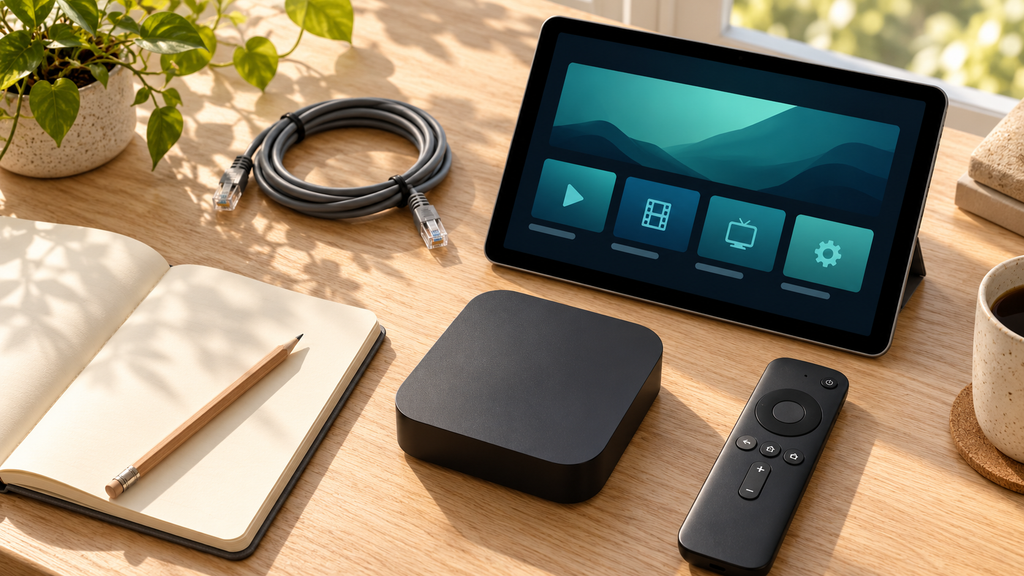
| After step 4 | streaming-player-preparation.webp | Device-preparation still life with a tablet showing blank login fields, streaming device, remote and network cable | Tablet, streaming device and remote prepared for a compatible player login |
| Before step 6 | subscription-order-activation.webp | Crafted illustration of unpriced plan cards, a private activation envelope and a television showing nature | Illustration of plan selection, activation email and television setup |
E. JSON-LD and installation
BlogPosting fits this editorial buying article. The existing /iptv-subscription/ page’s canonical, WebPage ID and BlogPosting ID were verified on October 29, 2026 and are reused below. Public homepage markup also confirms the publisher and WebSite identifiers. Admin schema settings and the installed plugin version remain uninspected.
{
  "@context": "https://schema.org",
  "@type": "BlogPosting",
  "@id": "https://xtremehdiptvus.com/iptv-subscription/#richSnippet",
  "url": "https://xtremehdiptvus.com/iptv-subscription/",
  "headline": "iptv service subscription: 7 Smart Steps to Your Best Plan",
  "description": "Choose an iptv service subscription with Xtreme HD IPTV. Compare plans, prepare your player and review paid trials, checkout and renewal terms before buying.",
  "inLanguage": "en-CA",
  "keywords": "iptv service subscription",
  "mainEntityOfPage": {
    "@id": "https://xtremehdiptvus.com/iptv-subscription/#webpage"
  },
  "isPartOf": {
    "@id": "https://xtremehdiptvus.com/#website"
  },
  "publisher": {
    "@id": "https://xtremehdiptvus.com/#person"
  }
}
Update the existing Rank Math article entity instead of adding a duplicate graph. Keep the genuine original publication date and visible author; change the modification date only when the article is actually updated. Add the real uploaded article image when available. These unspecified fields are deliberately omitted rather than fabricated. No Offer or rating markup is supplied.
Keep the FAQs for their usefulness to buyers. Google’s current documentation says FAQ rich results stopped appearing on May 7, 2026; no FAQ rich-result outcome or FAQPage graph is promised.
F. Rank Math completion and technical notes
Measured public body: 2,617 words; 8 exact focus-keyword occurrences; manual occurrence-to-word ratio approximately 0.31%. One H1, seven numbered steps, eight FAQs and five matching contents links were verified in the delivered Markdown. Selected title: 58 characters; meta description: 157 characters.
Statistics cover section C only, including public headings, contents labels, tables and FAQs. Markdown link destinations are excluded. The manual ratio divides exact phrase occurrences by words and may differ from Rank Math’s detected density.
| Check | Status | Evidence or required verification |
|---|---|---|
| Exact primary keyword and secondary phrases | prepared in the delivered text | One plain-text primary phrase supplied |
| Saved focus-keyword entry | pending verification inside WordPress | Requires the actual post editor |
| Title and meta description | prepared in the delivered text | Exact phrase and measured character counts |
| Saved snippet and title-test recognition | pending verification inside WordPress | Confirm truncation, number, power-word and sentiment checks |
| Descriptive slug and canonical recommendation | prepared in the delivered text | Retain the existing URL for the recommended update; tradeoff explained |
| Final permalink and canonical | pending verification inside WordPress | Confirm after saving |
| Keyword in opening, H1, H2, H3 and body | prepared in the delivered text | Relevant placements distributed through the article |
| Heading structure and short paragraphs | prepared in the delivered text | Seven numbered steps, useful tables and eight FAQs |
| Rendered headings, readability and builder detection | pending verification inside WordPress | Confirm one H1 and complete saved-content detection |
| Contextual internal and primary-source external links | prepared in the delivered text | Seller routes rechecked and one developer reference supplied |
| Saved link destinations and outbound attributes | pending verification inside WordPress | Test rendered links; unpaid references use normal editorial links |
| Linked table of contents | prepared in the delivered text | Targets match supplied section headings |
| Detectable TOC block or integration | pending verification inside WordPress | Use an integration recognised by Rank Math |
| Four image briefs and proposed alt text | prepared in the delivered text | One accurate keyworded alt; no placeholder URLs |
| Actual images, uploads and implemented alt text | pending verification inside WordPress | Briefs do not satisfy media checks |
| Prior keyword use and overlapping existing posts | pending verification inside WordPress | Public search inspected; drafts and private metadata unavailable |
| Plugin-detected word count and density | pending verification inside WordPress | Confirm content detection before adjusting prose |
| BlogPosting data | prepared in the delivered text | Existing public article, publisher and WebSite IDs reused |
| Installed schema graph and validation | pending verification inside WordPress | Reconcile graph and genuine author/date/media fields |
| Content AI recommendations and account-dependent checks | pending verification inside WordPress | No keyword-specific recommendations supplied |
| Actual saved-post SEO score | pending verification inside WordPress | No saved analysis or failed-check screenshot supplied |
Rank Math’s generic highest length band is above 2,500 words, but length is one test. Content AI can replace generic targets with keyword-specific recommendations. The Rank Math SEO score, Content AI score and Google rankings are separate measures. No achieved score, ranking or guaranteed AI citation is claimed.

Editorial note — October 29, 2026: Pricing-page and checkout data still conflict, including one connection for twelve months at 139.99 versus 75.00, without a clear CAD/USD code. Monetary plan/trial quotes and Offer markup are omitted. Lifetime checkout and automatic renewal remain unconfirmed; the dedicated conditional refund policy is followed. Public post 451 already covers the buying purpose. The two /iptv-subscribe/ variants also overlap and currently expose D–F implementation material; review consolidation and remove those notes from public bodies during the relevant edits. Their traffic, backlinks and private keyword metadata were not inspected, so no deletion or redirect is prescribed. The replacement uses verified seller facts, without invented testing, licensing, ratings or endorsements.
GMC note: Google Merchant Center’s current unsupported Shopping content policy lists streaming content under services. Do not promise approval or disguise the subscription as another product category. Valid schema does not establish Shopping eligibility.
Implementation references: Plans, order form, setup, trial, help, terms, refunds, TiviMate developer listing, existing subscription article, Rank Math tests, SEO versus Content AI, Google Search updates, unsupported Shopping content.
To finish: resolve the material offer terms, then use section C only to update the chosen subscription article. If the post title already renders its H1, begin the pasted body at the introduction. Save the new keyword and snippet, retain the agreed permalink, rebuild a detectable TOC, upload real images with accurate alt text and reconcile schema. Review overlapping posts and private keyword metadata before adding another competing page. Investigate Elementor or other builder detection before rewriting good prose, then correct the actual failed checks shown in the saved analysis without changing verified facts or stuffing keywords. Keep Content AI checks separate.